
How to Install
1. Tap the Play Store button
Press the bright “Get it on Google Play” button above to open the app page.
2. Install the game
Tap “Install”. See the preview below.
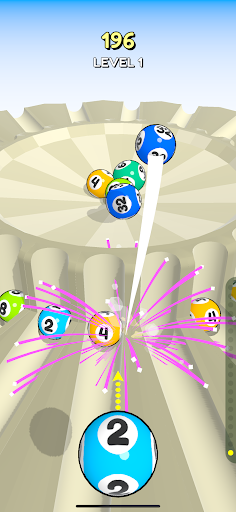
3. Download (~50 MB)
The game will download quickly. It needs roughly 50 MB of storage.
4. Launch & play
Open Merge Roulette from your app drawer and start merging balls for high scores!
Device Requirements
-
Android Version
Android 7.0 or newer
-
Storage
At least 50 MB free space
-
RAM
2 GB or more recommended
-
Internet
Connection required for download and updates
Quick Access via QR Code
Scan the QR code with your phone’s camera to open the Play Store page instantly.